
JPEG export quality vs blind watermark survival
Blind watermarks live in frequency coefficients, not in visible pixels. Every extra round of lossy JPEG compression can erode that signal. On BlindWMLocal you pick export quality on the embed result card — treat it as part of your watermark policy, not just file size.
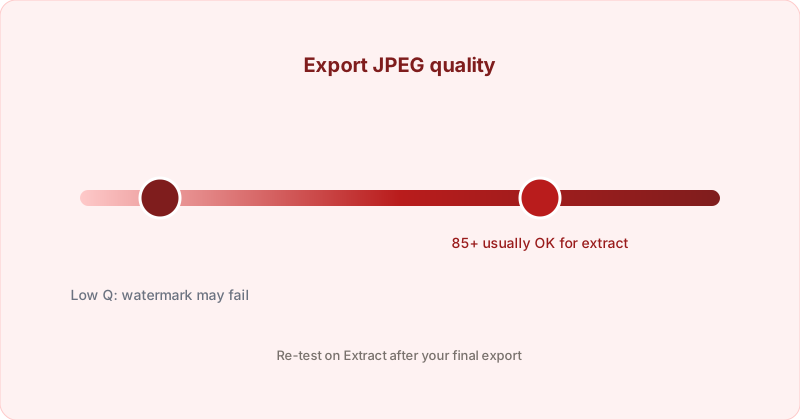
How embedding and export interact
The library first embeds into an internal PNG buffer. BlindWMLocal then converts to your chosen format in the browser:
- PNG — Lossless re-save; best for lab tests and archival before further processing.
- JPEG — One lossy step at your chosen quality (slider 70–100 on the result card).
- WebP — Lossy with separate quality scale; good for web delivery if you verify extraction afterward.
Practical quality targets
| Scenario | Suggestion |
|---|---|
| Email / CMS / social re-save | JPEG ≥ 85 on export; re-test on Extract |
| Internal leak-tracing pipeline | PNG or high JPEG; avoid chained “save for web” at Q60 |
| Already compressed source JPG | Embed once at moderate strength; do not stack aggressive compression |
| Need smallest file after embed | Export high-quality JPEG or PNG first, verify extract, then compress separately if needed |
Why watermarked files get larger
Hidden data adds entropy — JPEG compresses that noise less efficiently, so the same quality setting may produce a bigger file than the original. That is expected; size is not a sign the watermark failed. Use the post-embed size guide on the homepage for context.
Verify before you ship
- Embed with your production strength setting.
- Download in the format you will actually distribute.
- Open Extract with the same file (filename hints help).
- If the string is wrong or empty, raise quality or strength slightly and repeat.
Second compression elsewhere
If you embed on BlindWMLocal then run the image through another compressor (including ShrinkLocal on the main site), each lossy pass can weaken the watermark. Always extract-test after the final pipeline you expect in the wild. Both tools are browser-only with no backend image API.