
What _wm_len and _lvl mean in download filenames
When you download from BlindWMLocal, the filename may look like report_wm_len32_lvl2.jpg. Those two tags are not decoration — they tell the Extract page how many characters were embedded and which strength level was used.
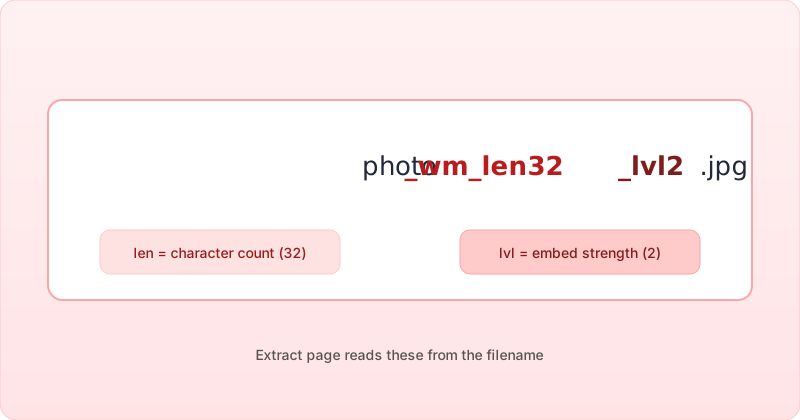
{basename}_wm_len{N}_lvl{L}.{ext}_wm_len{N} — character length
N is the length of the watermark string in characters (UTF-16 code units as used by the embed form, up to 128). The blind-watermark decoder needs this length; wrong guesses produce garbage or empty reads.
Example: if you embedded user@company.com (18 characters), expect _wm_len18 in the filename.
_lvl{L} — embed strength level
On the embed page, the strength slider maps to library level 1 or 2 (higher slider → stronger embedding). L in the filename is that level. Stronger embedding can survive more compression but may be slightly more visible under forensic analysis — for most photos, the default mid-range setting is a reasonable start.
What Extract does with the hints
- You drop a file whose name still contains
_wm_len…_lvl…. - BlindWMLocal parses the suffix and pre-fills length and level.
- Extraction runs with those parameters first — faster and more reliable than blind auto-detect.
If someone renamed the file, use manual length entry or auto-detect on Extract. The Detect page can screen for possible blind watermarks but is not a substitute for known parameters.
Session hint (same browser)
After a successful embed in the same tab session, BlindWMLocal may also store the last length/level in sessionStorage so Extract works even if you trimmed the filename — local-only in your browser, never sent to a server. Works offline once the page has loaded. See Privacy.
Renaming and sharing
- Keep the
_wm_len/_lvlsegment if your team will extract later. - If you must rename for customers, record length and level in your asset database.
- Do not assume other tools understand these tags — they are a BlindWMLocal convention for this site’s extract flow.